Stop piecing together attendance from chat messages and paper. Get a month-end summary in a few clicks.
Your team clocks in on their phones and requests leave or overtime in the app. Managers approve on the spot, and PANN HR adds up attendance, lateness, absences, leave and overtime for the whole month.
Free during launch · Nothing to install · Thai and English
Everyday HR work, in one place
Clock in by phone with GPS or QR
Open the app and tap twice. The system checks that the person is at an approved location — no scanner hardware needed.
Read more →Leave and approvals on mobile
Request leave, overtime or a time correction from a phone. Managers see requests and approve right away, and leave balances update automatically.
Read more →Monthly summaries for your accountant
At month end you have hours, lateness, absences, leave and overtime per person. Export to Excel, or let your accounting firm view it read-only.
Read more →Several companies under one account
Run more than one company or branch? Switch between them from a single account, with each company's data kept separate.
Read more →What it actually looks like
Real screens from the product, shown with a fictional company and employees.
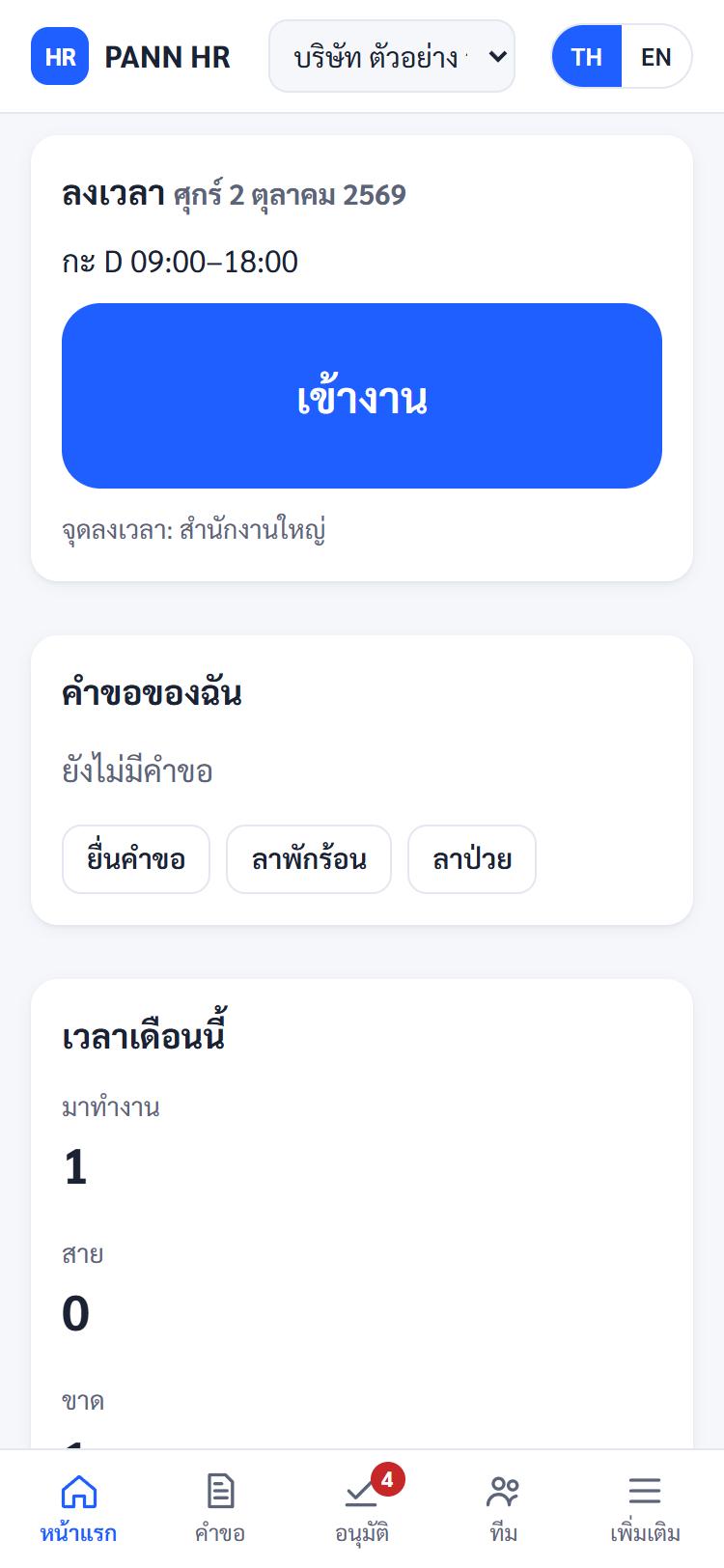
Staff see today's shift and the clock-in button as soon as they open the app.
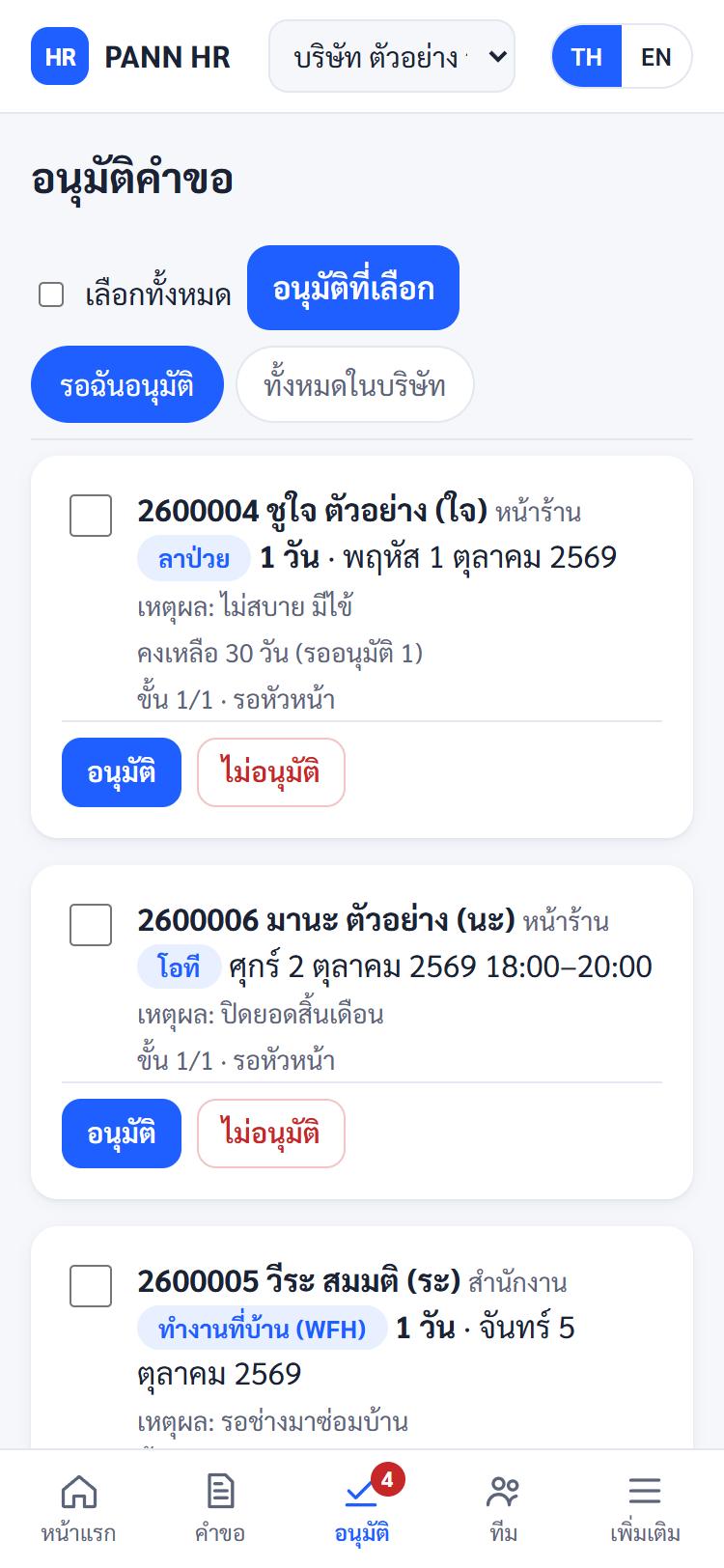
Managers see leave, overtime and work-from-home requests alongside remaining leave.
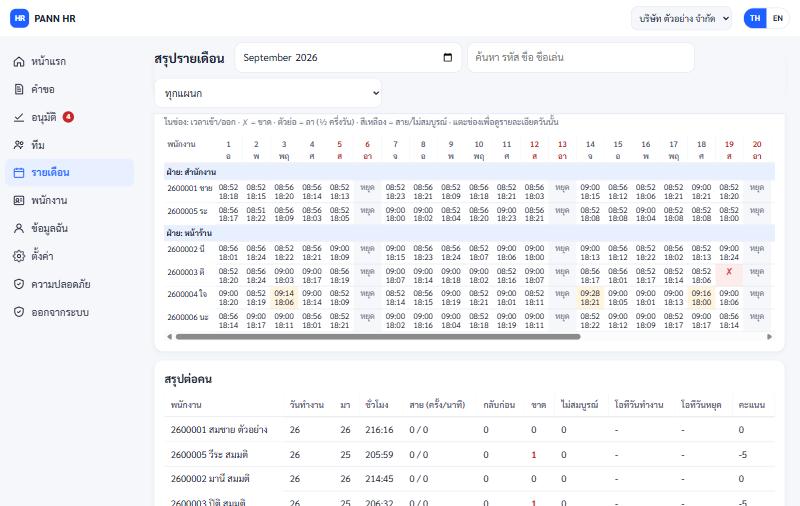
Daily in and out times, lateness, absences and leave, with per-person totals ready to export.
Who it is for
Hotels and shift work
Rotating and overnight shifts, weekly rosters, and QR clock-in at the work location.
Accounting firms
Have clients keep attendance and leave in one system, then view their summaries yourself once the client allows it.
Multi-branch shops
Set a clock-in point per branch, see who clocked in where, and keep several companies under one account.
Small and mid-sized businesses
Get started without an IT team: follow the setup checklist, then invite staff by email.
Frequently asked questions
Is it really free?
During launch it is free within the per-account limits (up to 3 companies and 50 employees in total). If we introduce fees later, account owners get at least 30 days' notice, and nothing is charged retroactively.
Do we need to install an app or buy hardware?
No. PANN HR runs in the browser on phones and computers. Staff clock in on their own phones, so there is no fingerprint scanner to buy.
Can it run payroll?
Not yet. PANN HR currently handles time, leave, overtime and employee records, and produces a monthly summary for whoever prepares payroll or for your accounting firm.
Does it handle night shifts and shifts that cross midnight?
Yes. A shift that crosses midnight counts towards the day it started, and you can build a weekly roster per person.
How safe is employee data?
Data is stored in a Singapore data centre. National ID and bank account numbers get an extra layer of encryption, anyone viewing them must pass two-factor authentication, and every view is logged.
Can we move over from our current system or a fingerprint scanner?
You can import your employee list from Excel, and import time files exported from fingerprint or face scanners (Excel/CSV) by matching the columns yourself.
Start with your team today
Free during launch. Set up your first company in minutes — no app to install.